Data Transformation Agent
The Transformation agent turns a plain-language goal into a working transformation. You describe what you want to do, and the agent reads your semantic model, figures out the relevant tables and relationships, and produces a PySpark script along with a clear explanation of what the script does.
Describe your transformation
Start a chat and tell the agent your goal — for example, "I want to do sales forecasting using SAP S4 HANA tables." The AI Builder reads your semantic catalog automatically, identifies the tables and relationships involved, and responds with:
- the PySpark script for the transformation, and
- a breakdown of what the script does, step by step.
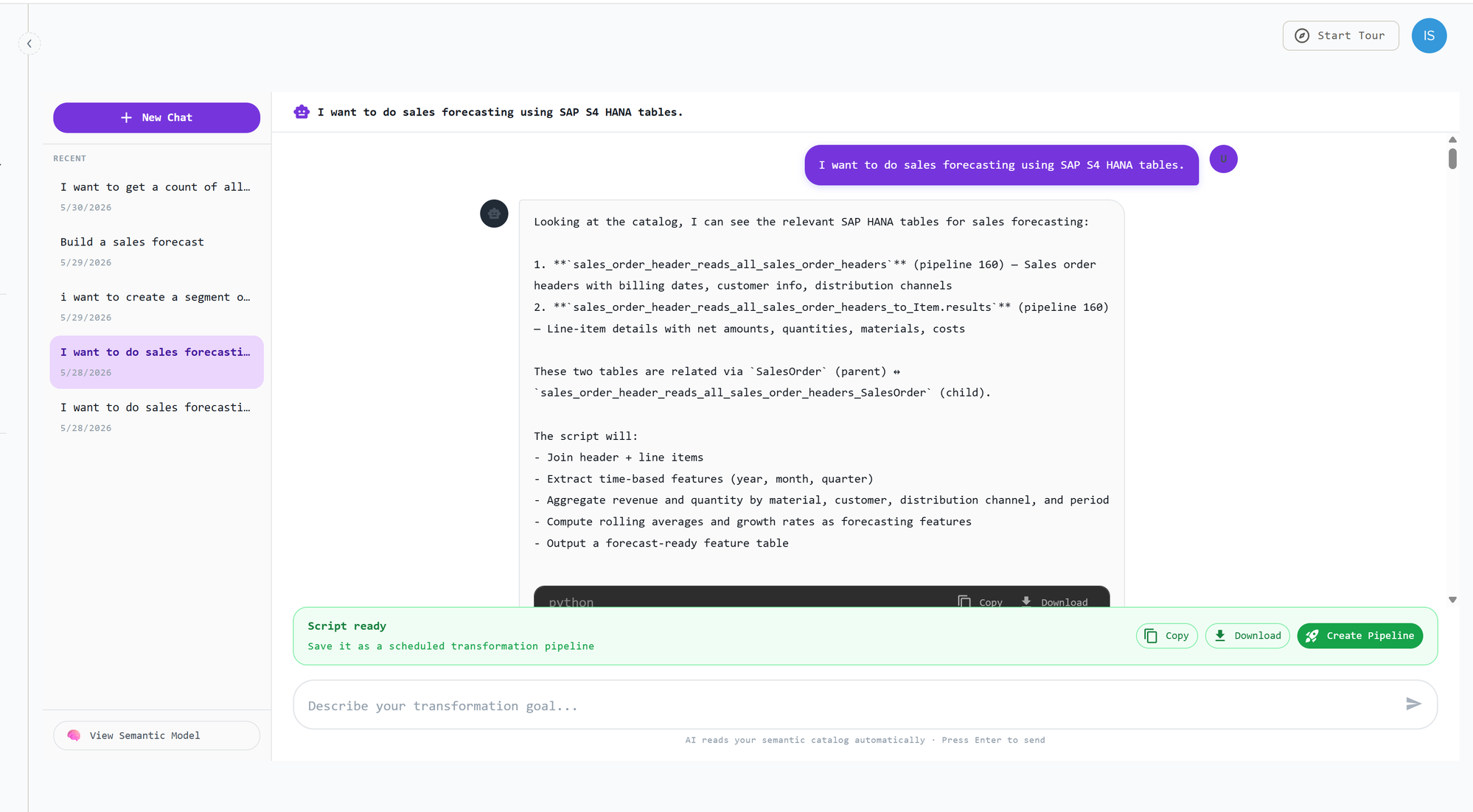
You can keep chatting with the agent to refine the logic — adjusting joins, filters, aggregations, or output — until the transformation does exactly what you need.
Convert to a pipeline
Once you're happy with the result, choose Create Pipeline to convert the conversation into a scheduled transformation pipeline. From there you can set a schedule and run it alongside your ingestion pipelines.
Versioning and scheduling
After a conversation becomes a pipeline, its scripts are versioned. Each refinement is saved as a new version, and you can select which version is Active — that is, which one runs. You can also upload your own script as a version.
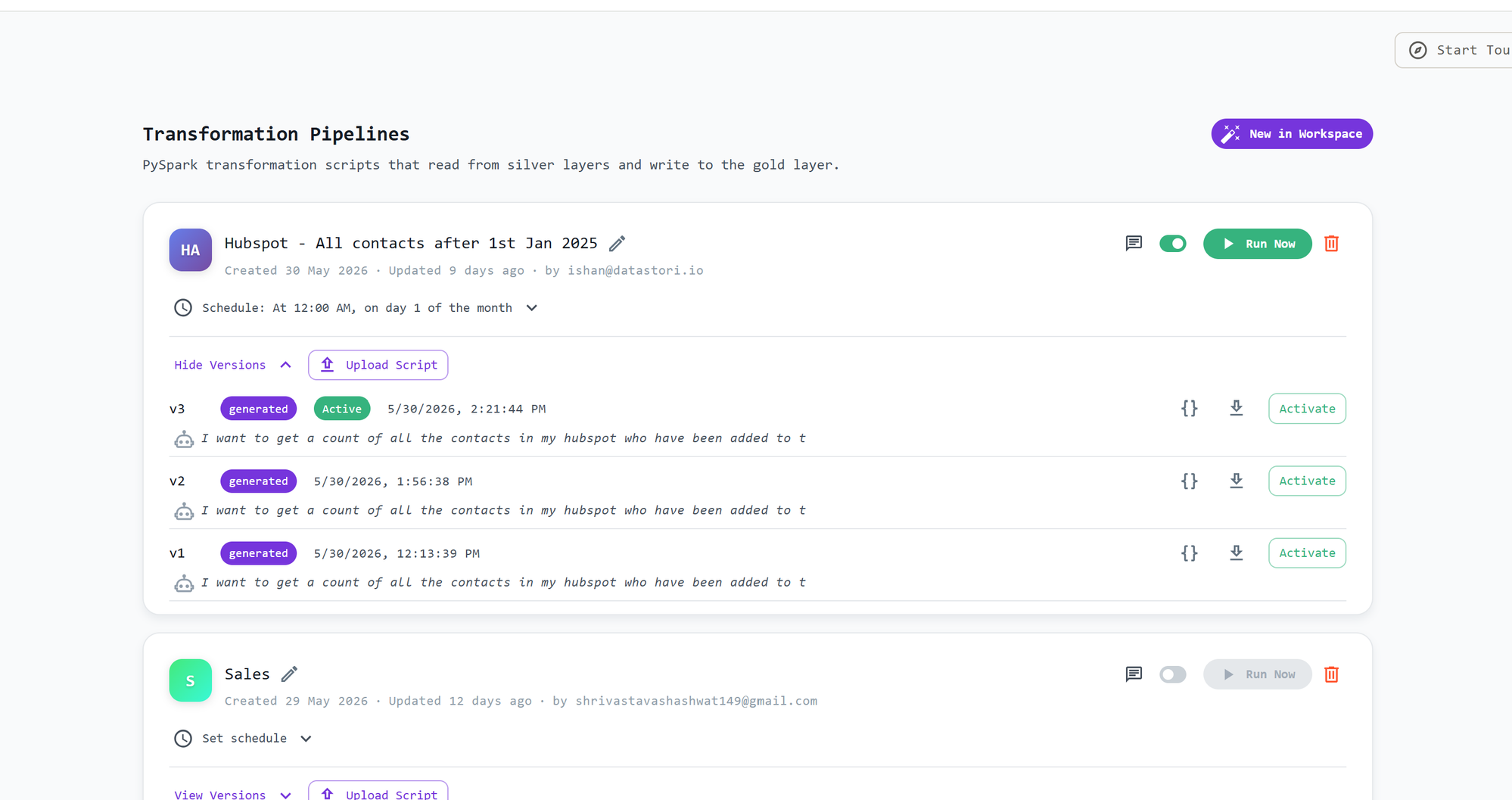
Transformation pipelines read from your silver layers and write to the gold layer. You can:
- set or edit the schedule for each pipeline,
- run a pipeline now on demand,
- switch the active version of the script, and
- enable or disable a pipeline.
Output to the gold layer
The output of a transformation is written to the gold layer. The destination path is defined within the PySpark script, so you can update the script to change where the transformed data is written.
Monitoring
You can continue to monitor transformation pipeline runs from the dashboard, just like your ingestion pipelines.